 OpenPostPro
Draw, nest, machine. Free CAD/CAM.
OpenPostPro is an open-source program for preparing parts for a milling machine, a router or a plasma table. Draw or import a DXF, place the parts on a sheet, create the toolpaths, check them in 3D, then generate the G-code of your machine with a post-processor written in Python.
Download for Windows Read the documentation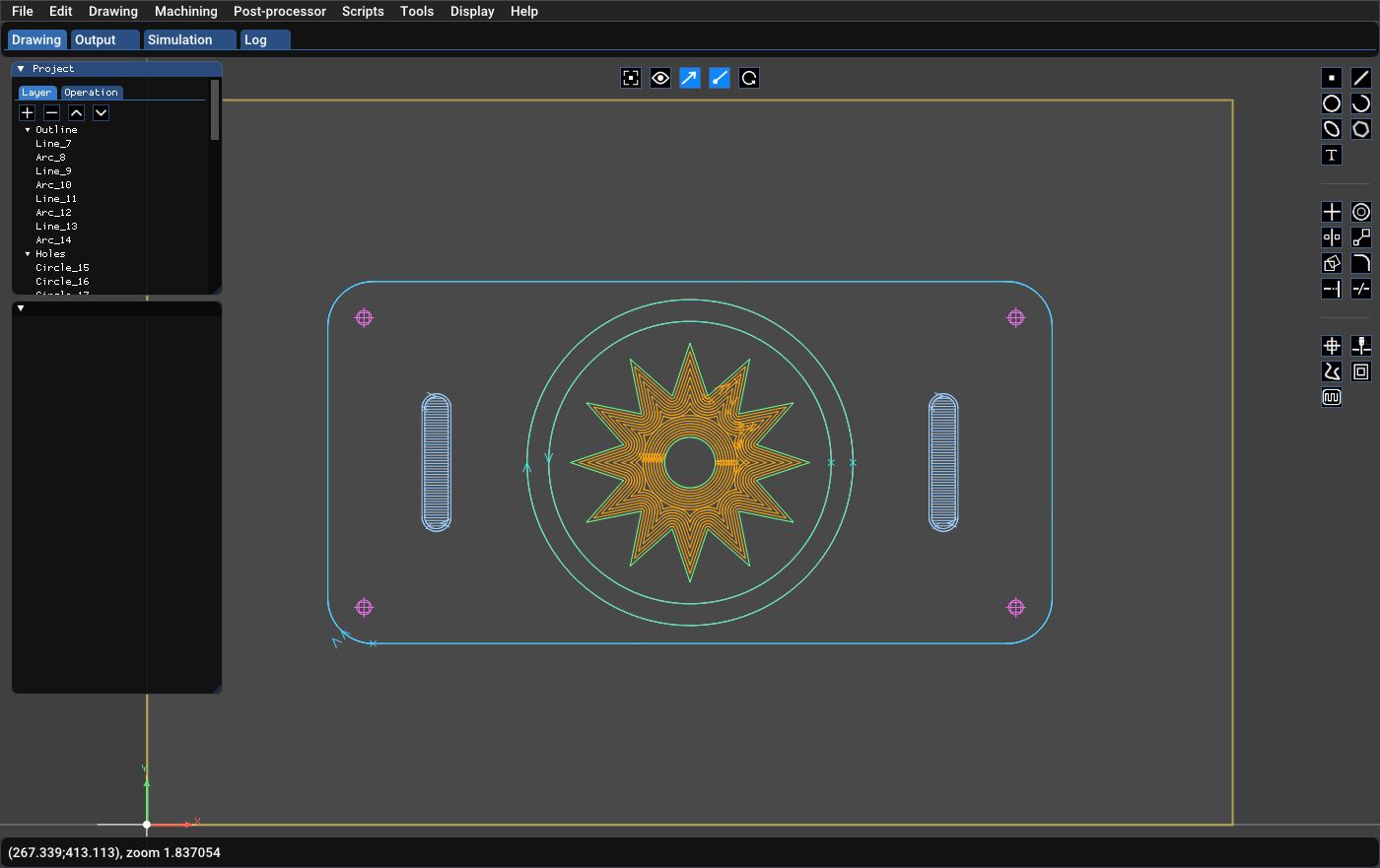
What it does
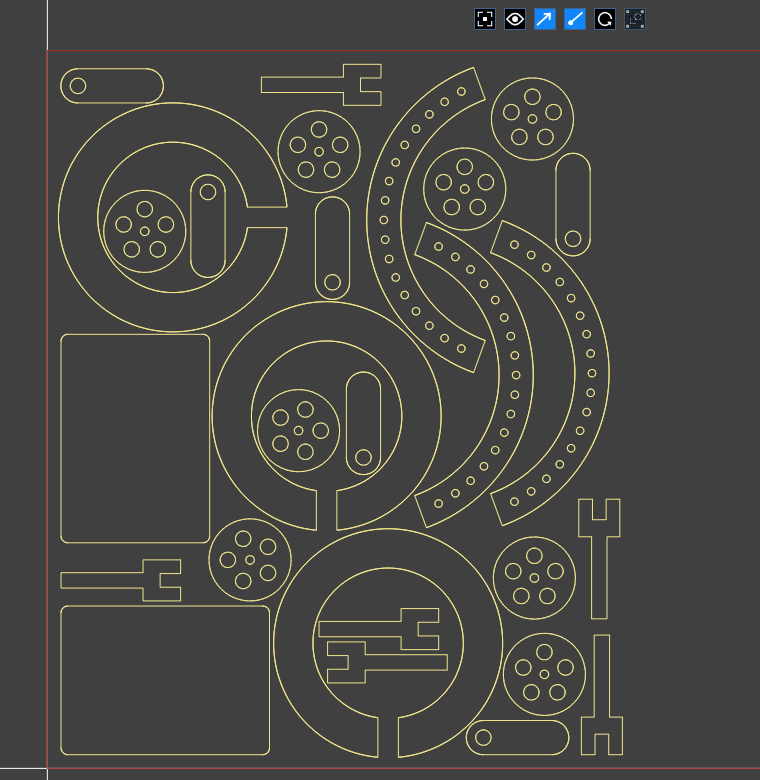
Automatic nesting
Place copies of your parts on a sheet in a few seconds, or let the search and overlap-minimization algorithms use every core of your processor to waste less material. A part can go in the hole of another one, with rotations every 90, 15, 5 or 1 degree, margins and quantities per part.
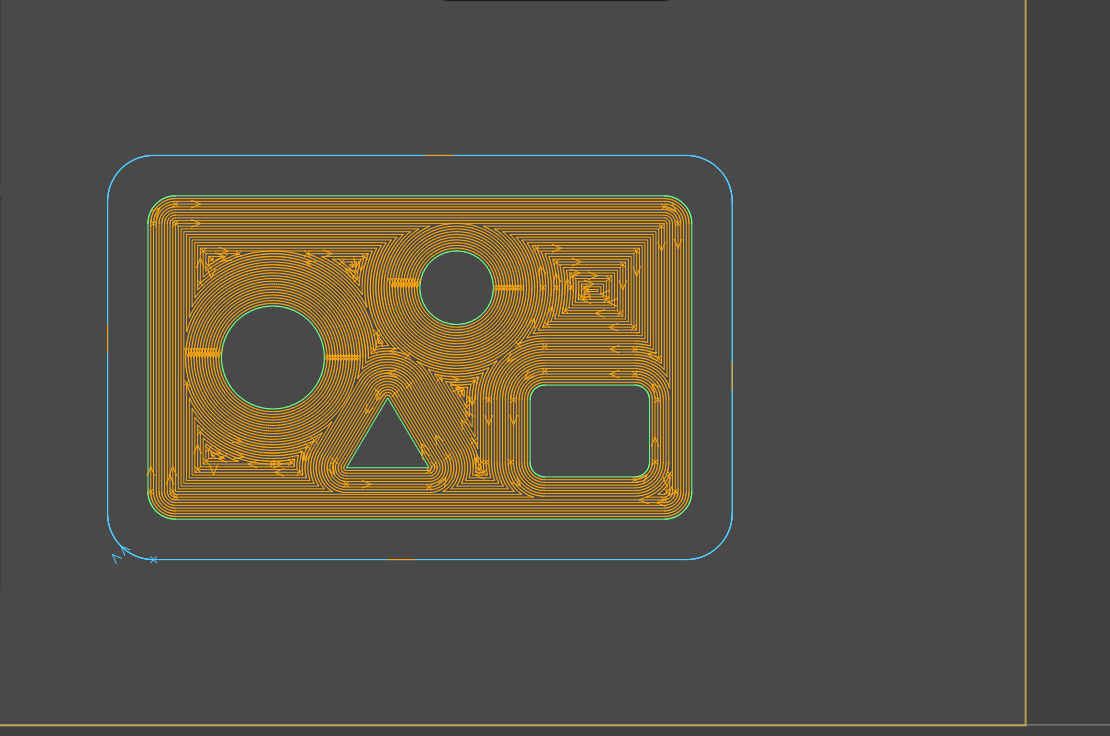
Toolpaths for milling, routing and plasma
Follow a contour, offset, pocket (zigzag, concentric or spiral, islands respected), drill with peck cycles, add holding tabs. Radius compensation can be automatic, and the operations are organized so that inner contours are cut before outer ones.
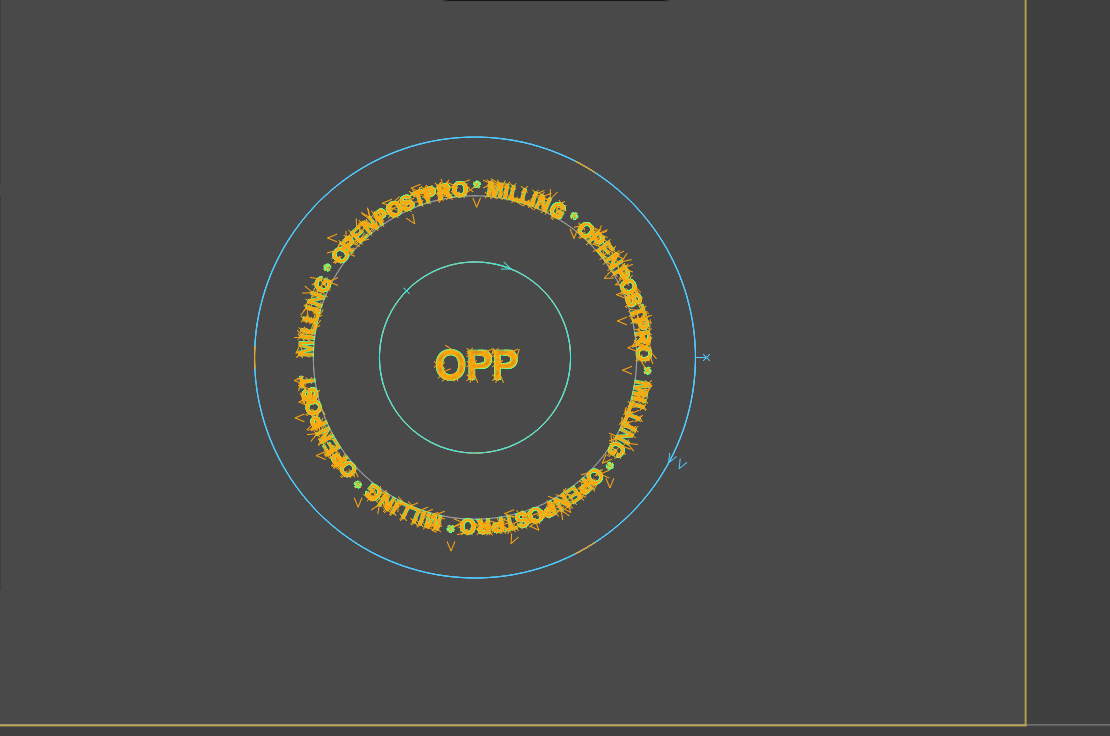
2D drawing and text on a curve
Lines, arcs, circles, ellipses, polylines, splines and text. Text can follow any curve and keep following it when the curve moves. Import DXF and SVG, export DXF, add layers and groups, and check the drawing for duplicate shapes and open contours.
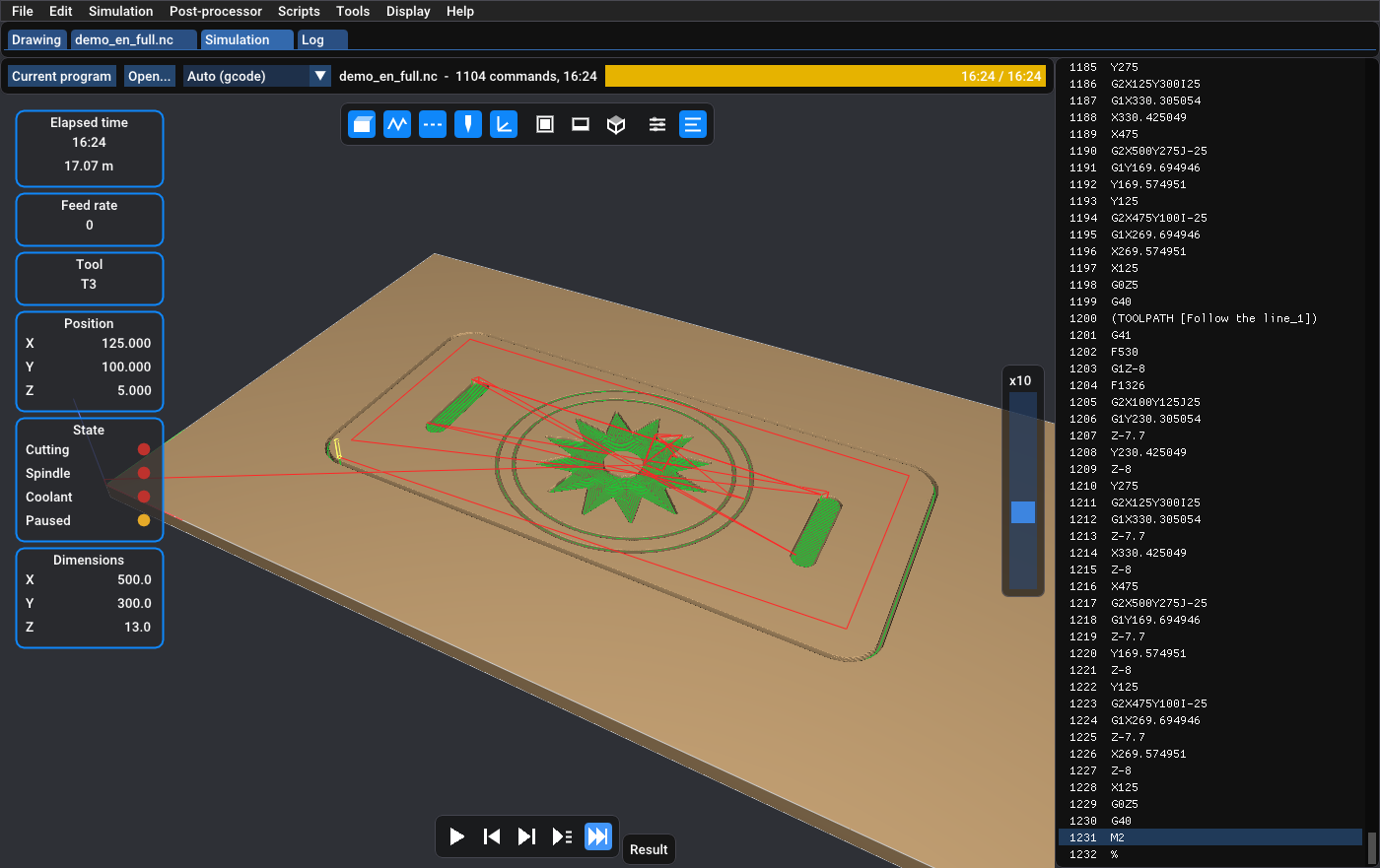
3D simulation of the G-code
Play the program on a block of material before it reaches the machine: toolpaths, tool, material removed and machining time. Play, step, go back, jump to a line, or drop any G-code file on the window.
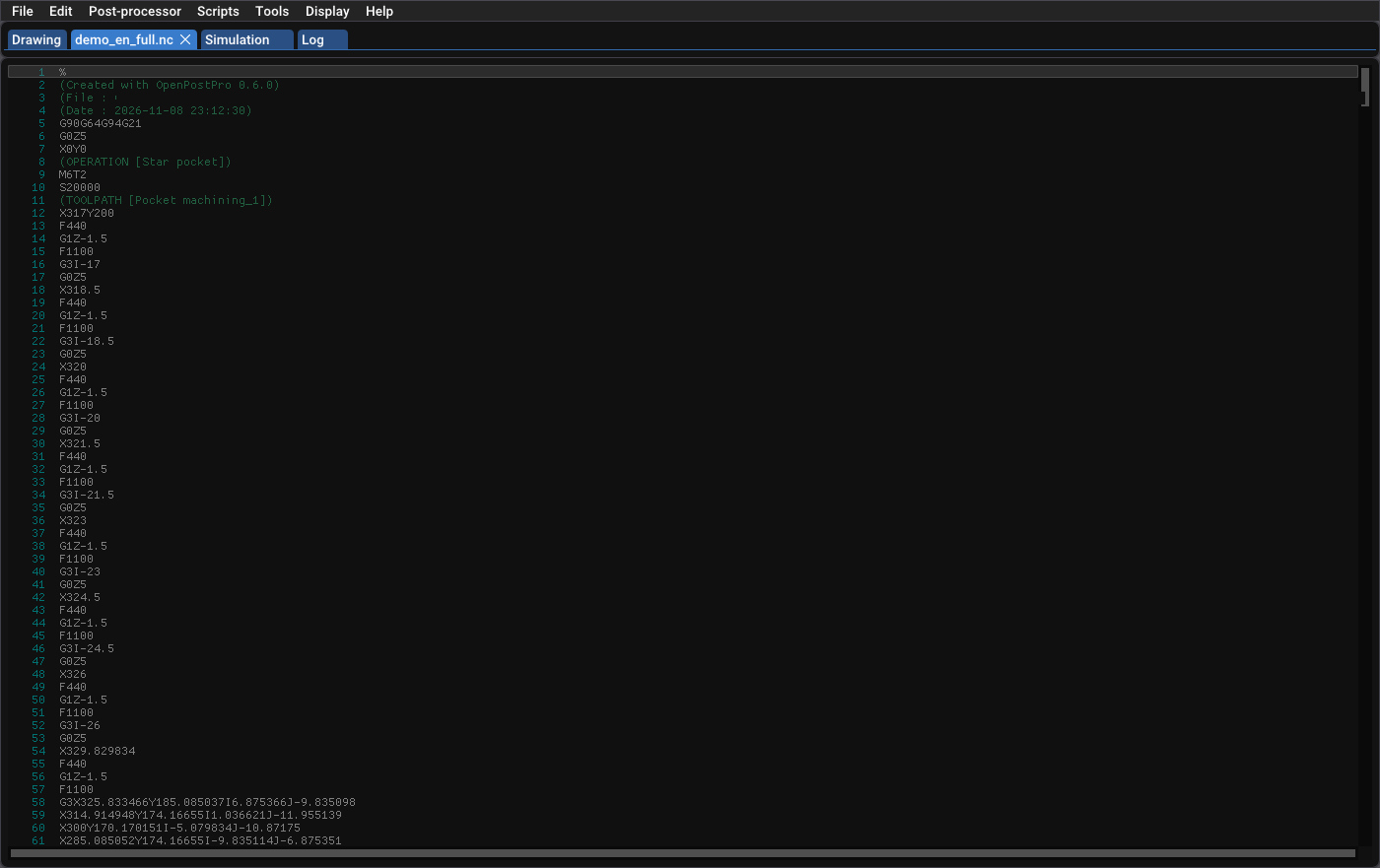
Python post-processors
Generic milling and plasma post-processors are included, with variants for Mach3, Num 1060, Burny and HPGL. Clone one and edit it inside the application to match your controller: no need to recompile anything.
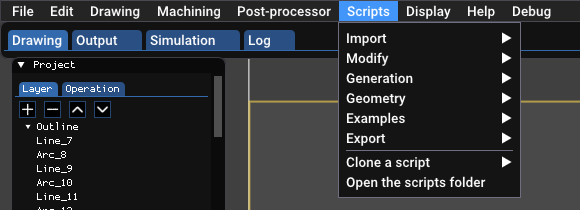
CAD scripts in Python
Generate gears, airfoils, hole grids and arrays, import Gerber and Excellon files, trace bitmaps. Write your own scripts with the built-in editor.
Interface in English, French, Spanish, German, Italian, Dutch and Brazilian Portuguese. Millimetres or inches.
Before you use it
The program is provided as is, without warranty. Version 1.0 is stable and usable, but some geometry and toolpath algorithms can still fail on difficult shapes. Always check the generated G-code, in the simulator and on the machine, before cutting a real part.
Get it
Windows
A zip archive to unzip and run. Python 3.12 or later is needed for the post-processors and scripts.